
ChildDiary is now taking its first steps in human resources management, allowing professionals to record their arrivals and departures directly on the platform.
TABLE OF CONTENTS
- How does clocking in work?
- Step-by-step guide to recording clock-in or clock-out for Staff
- How can I view my attendance records?
- How can management consult the attendance records of all professionals?
- What you need to know
- Experimental phase
How does clocking in work?
All professionals who are ChildDiary users can record their attendance using a button that allows them to swipe to clock in or out. Multiple clock-ins can be made throughout the day, as needed.
If you want to use it with employees who do not usually use the platform, see here how you can add a room for Staff and how you can add new users.Step-by-step guide to recording clock-in or clock-out for Staff
Step 1 - Log in to your ChildDiary account.
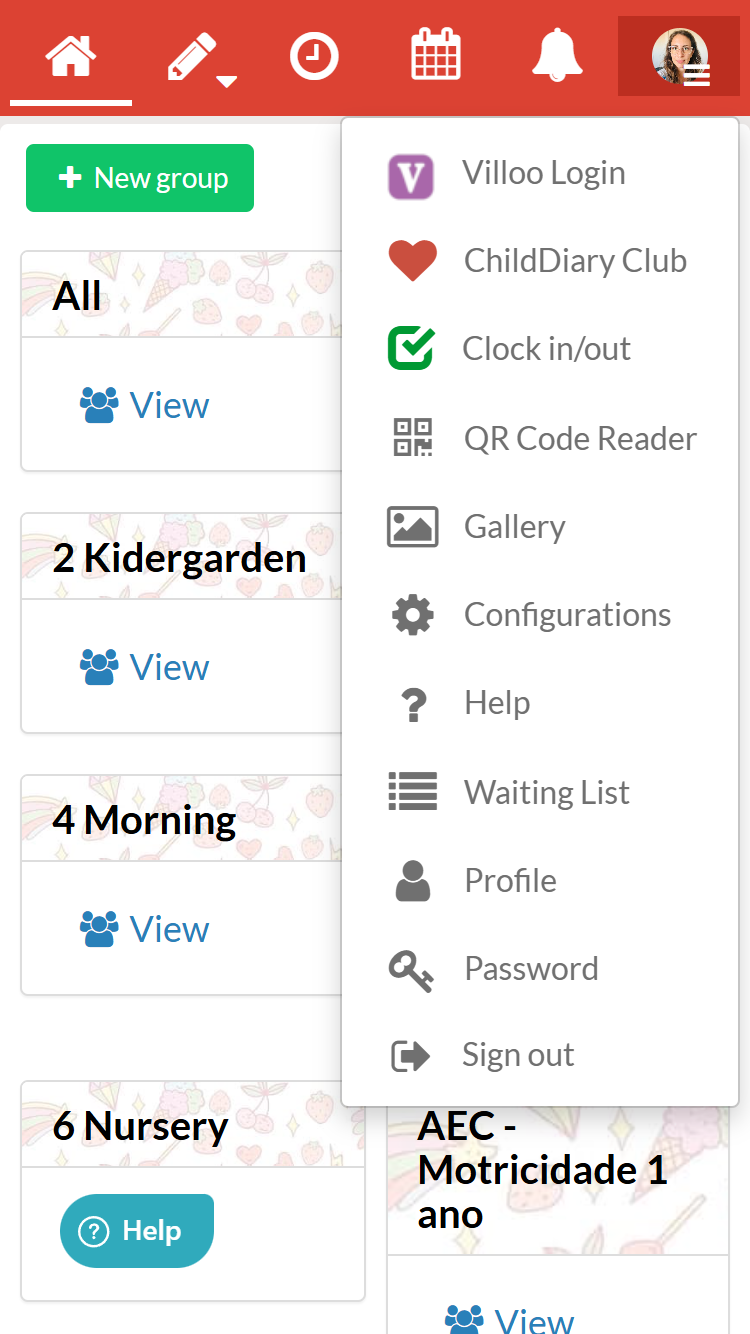
Step 2 - Select the ‘Time Registration’ area from the three-line menu.
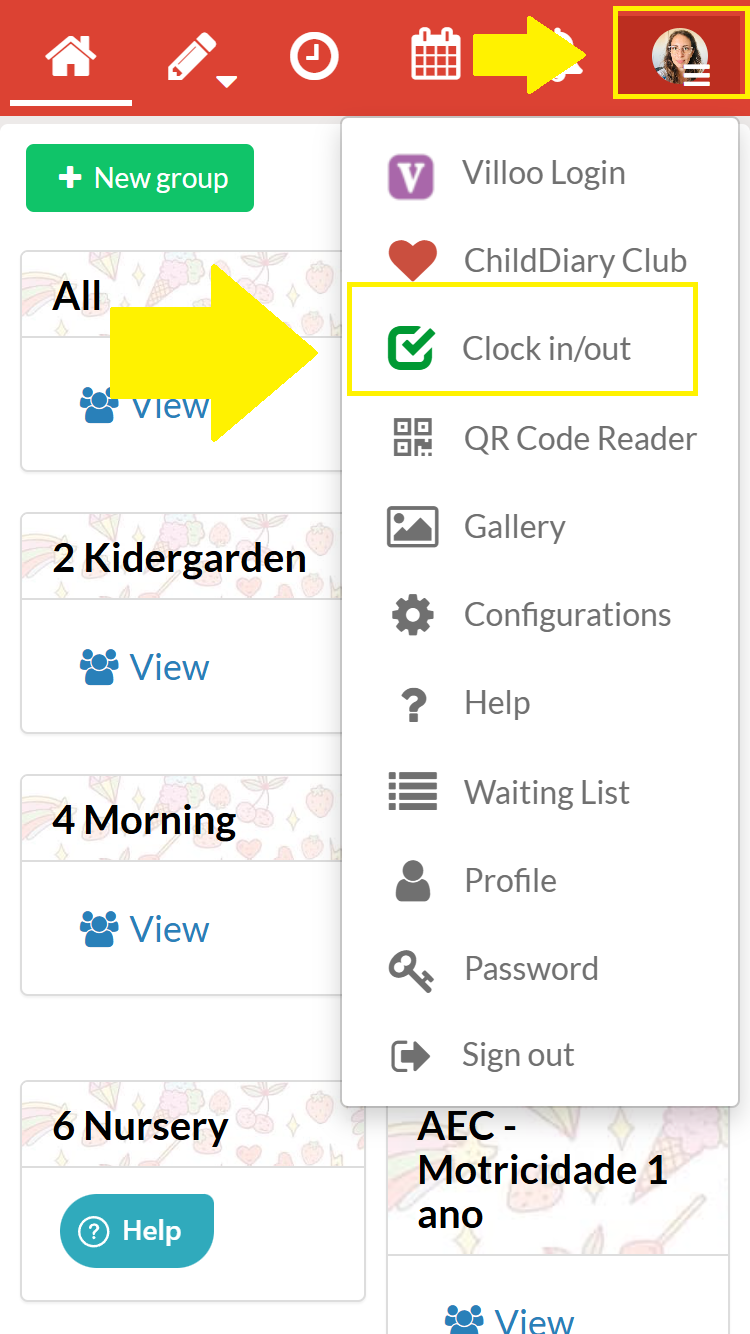
Step 3 - You will find a slider button to record the point. Slide the button to the right to record Entry.
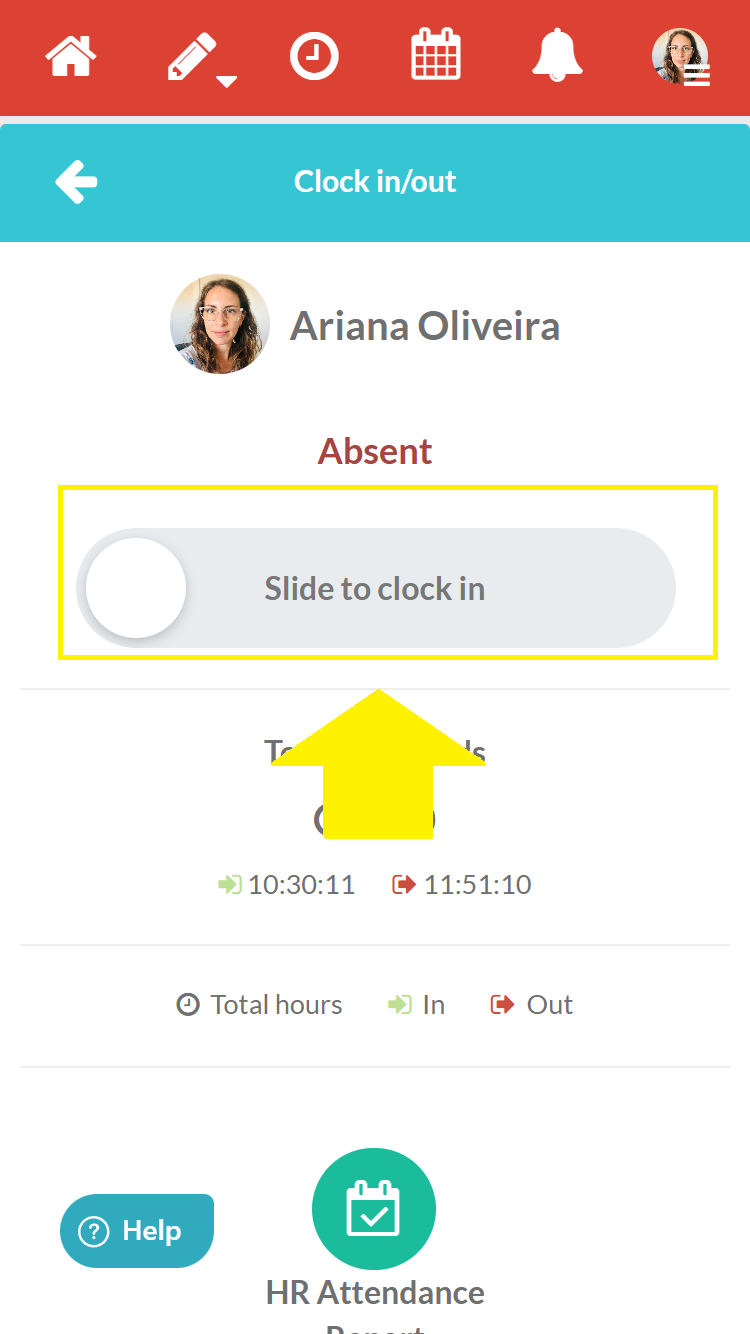
Step 4 - Whenever you leave, swipe again to log your departure. Repeat the process as often as necessary throughout the day.
How can I view my attendance records?
Step 1 - Log in to your ChildDiary account
Step 2 - From the three-line menu, select the ‘Time Registration’ area.
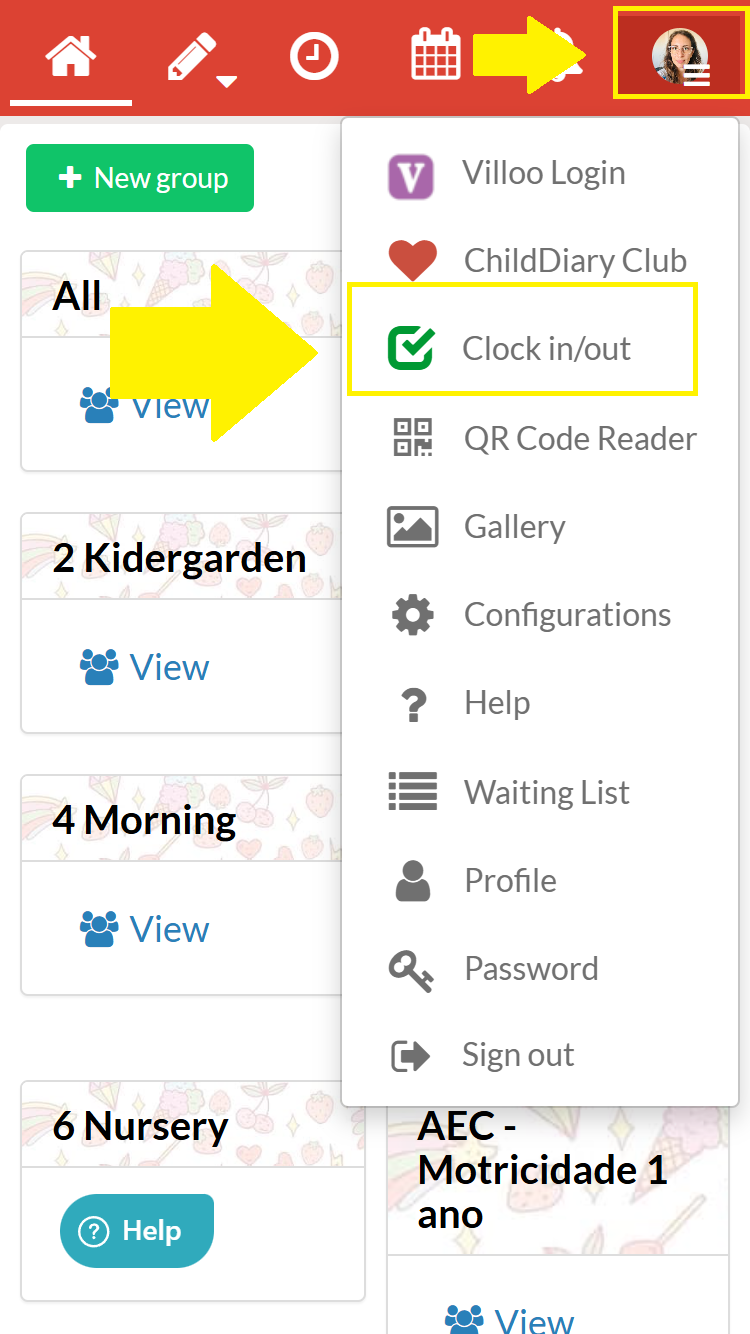
Step 3 - Select the option that says ‘Attendance Report’
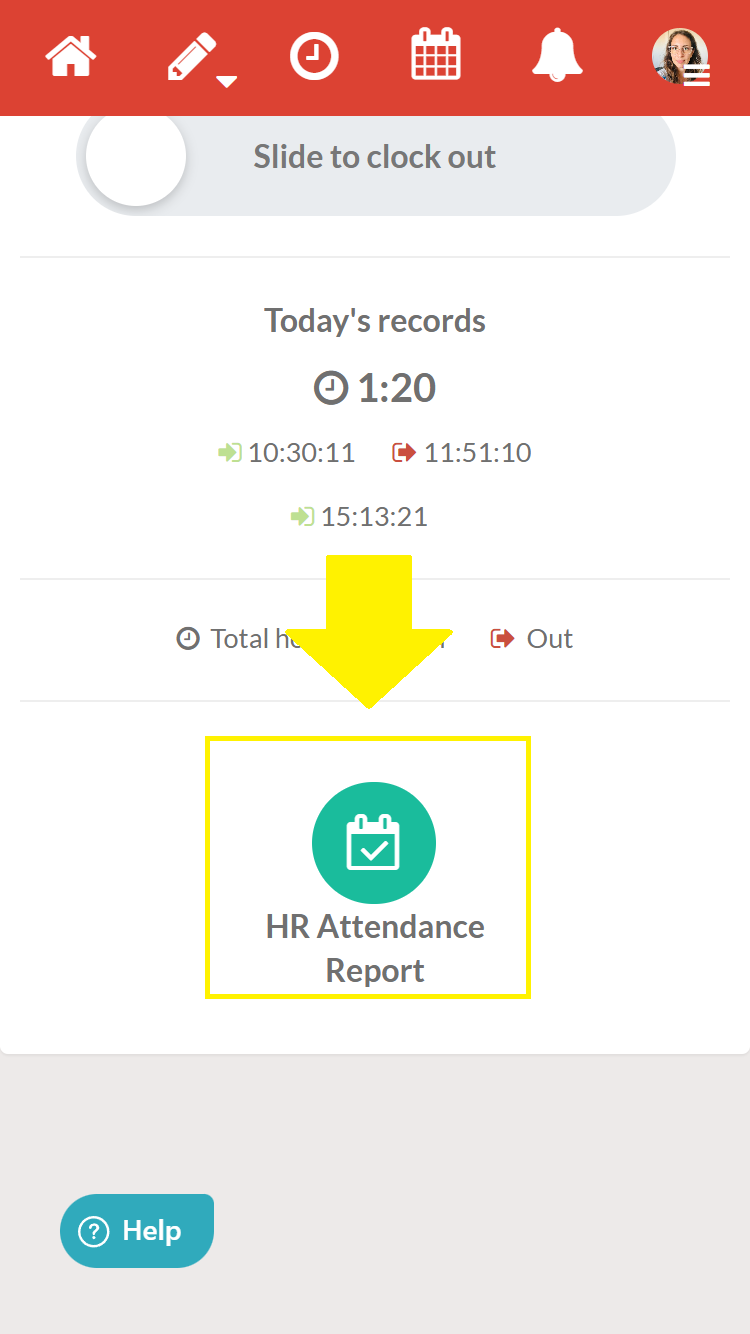
You can now view your records by date and search by month.
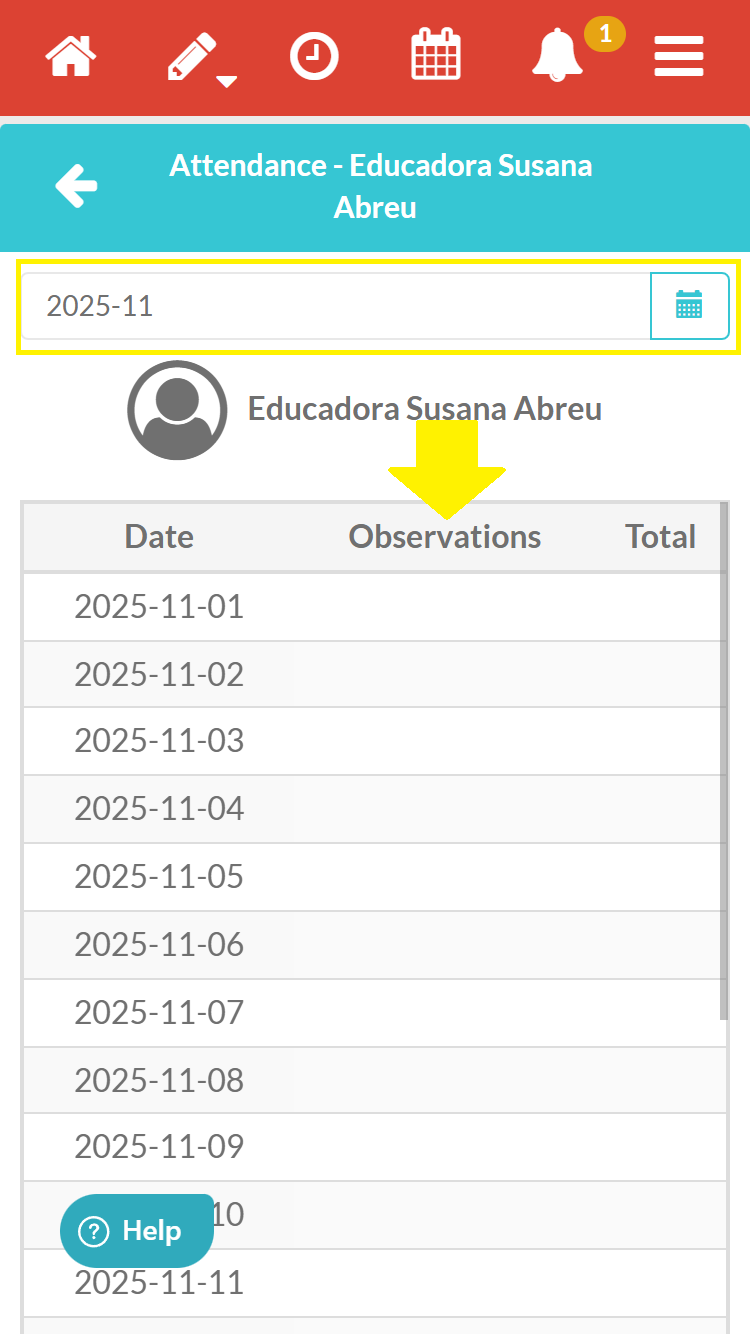
How can management consult the attendance records of all professionals?
Step 1 - Log in to your ChildDiary account
Step 2 - From the three-line menu, select the ‘Time Sheet’ area.
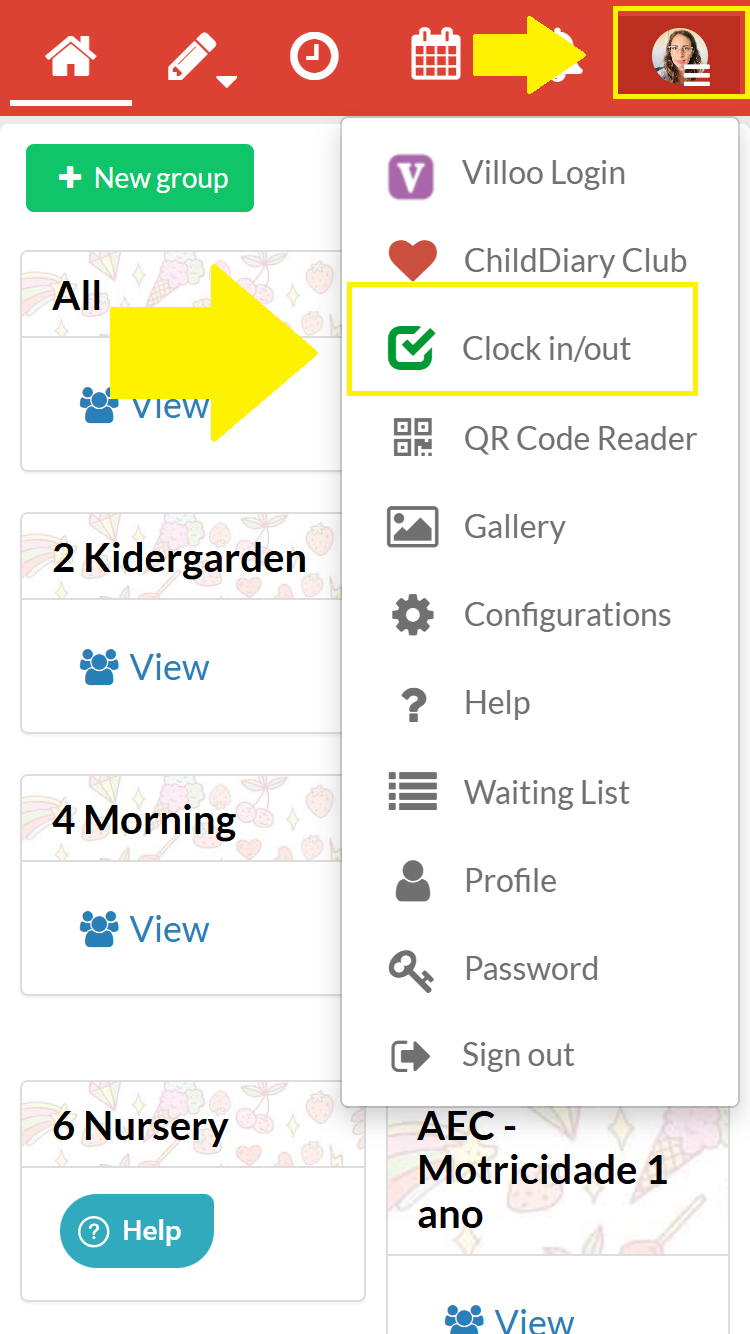
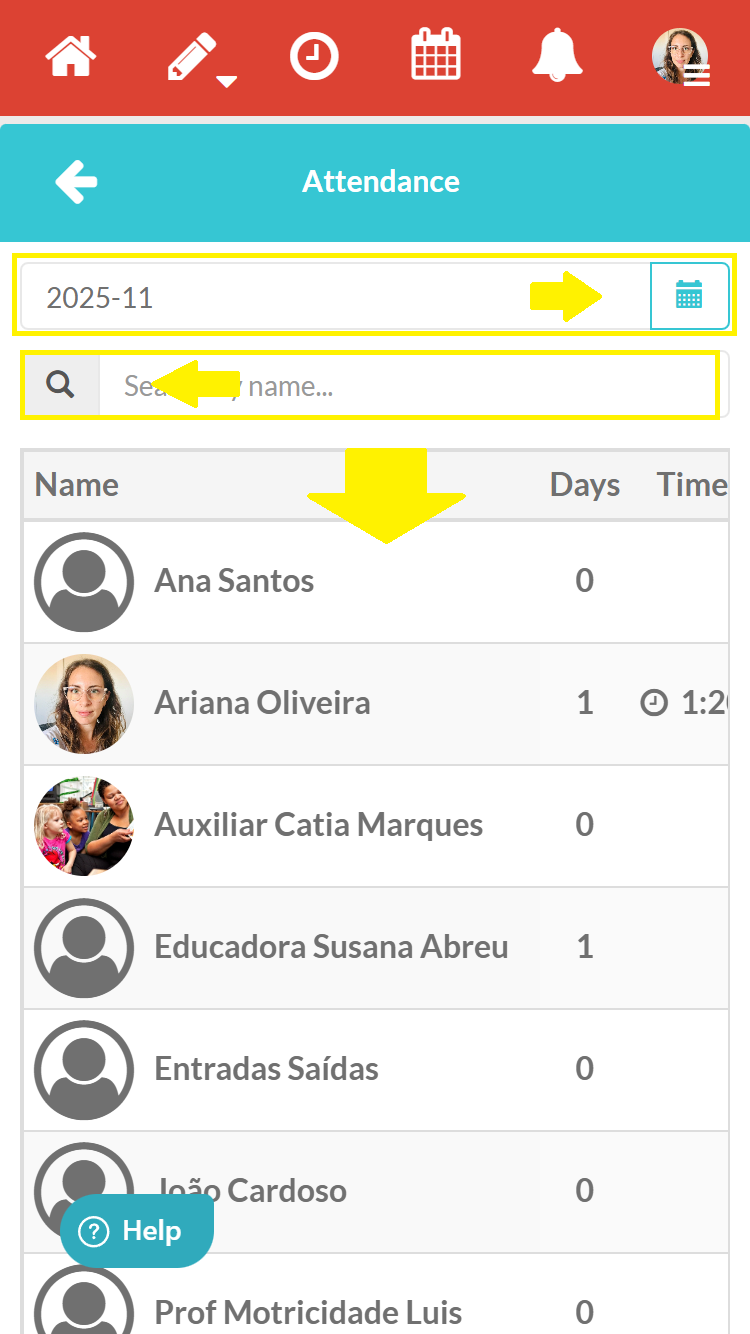
Step 3 - Select the option that says ‘Attendance Report’
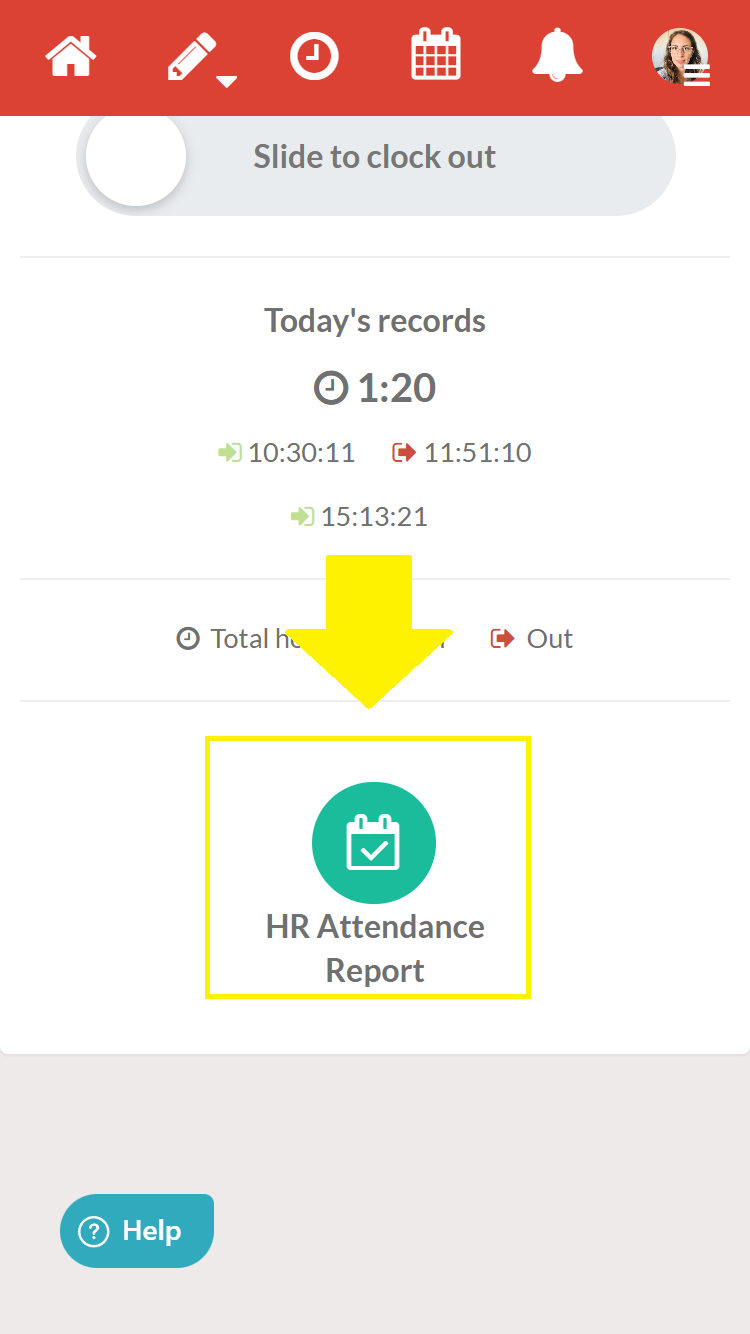
You can now view daily records by employee, search by person, and search other months.
What you need to know
- You can make as many entries as necessary in a single day.
- Entries and exits are automatically saved in your account.
- Management can later consult and export the report of these records.
Here's how to export an attendance report.
Experimental phase
This feature is being launched on a trial basis. Over the coming months, we will be rolling out improvements that will include:
- Recording of absences (holidays, sick leave, other)
- Geolocation for security reasons and to ensure the accuracy of attendance records
- We are working to ensure that this feature evolves in a way that is safe and useful for all institutions.
Send your feedback via the Help button or by email to ajuda@childdiary.net.