This article shows how Family Members WITH access to ChildDiary can use the QR Code to register children's attendance more quickly and effectively.
With my QR Code
Steps 1 - Open your ChildDiary app
Step 2 - Select the Clock In/Out option

Step 3 - Select the child or children you want to register attendance
Step 4 - Select the Next option

Step 5 - Present your QR code to the professional receiving your student

With the Schools QR Code
To scan the school’s QR code, follow the steps below:
Steps 1 - Open your ChildDiary app
Step 2 - Select the Clock In/Out option
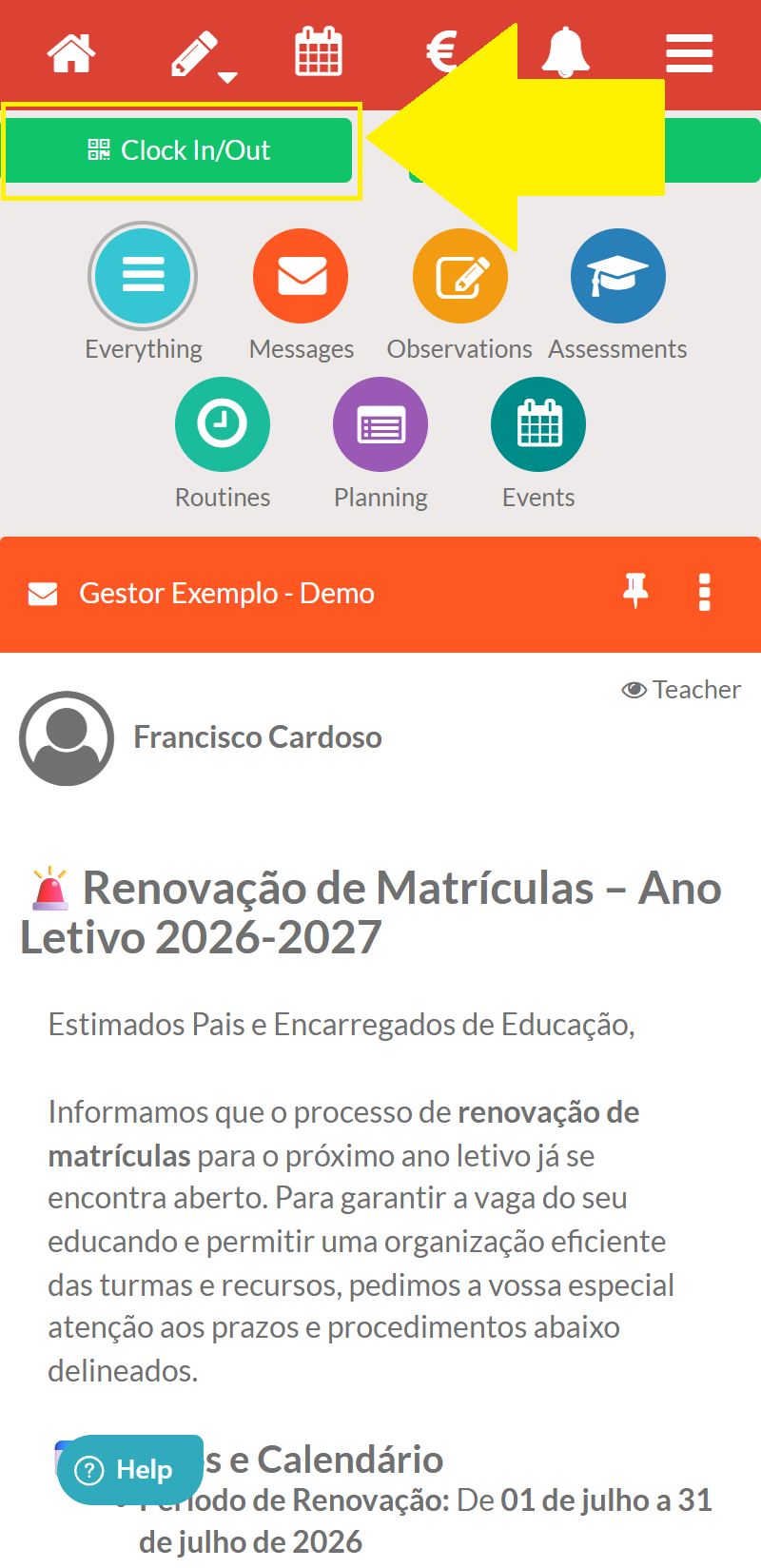
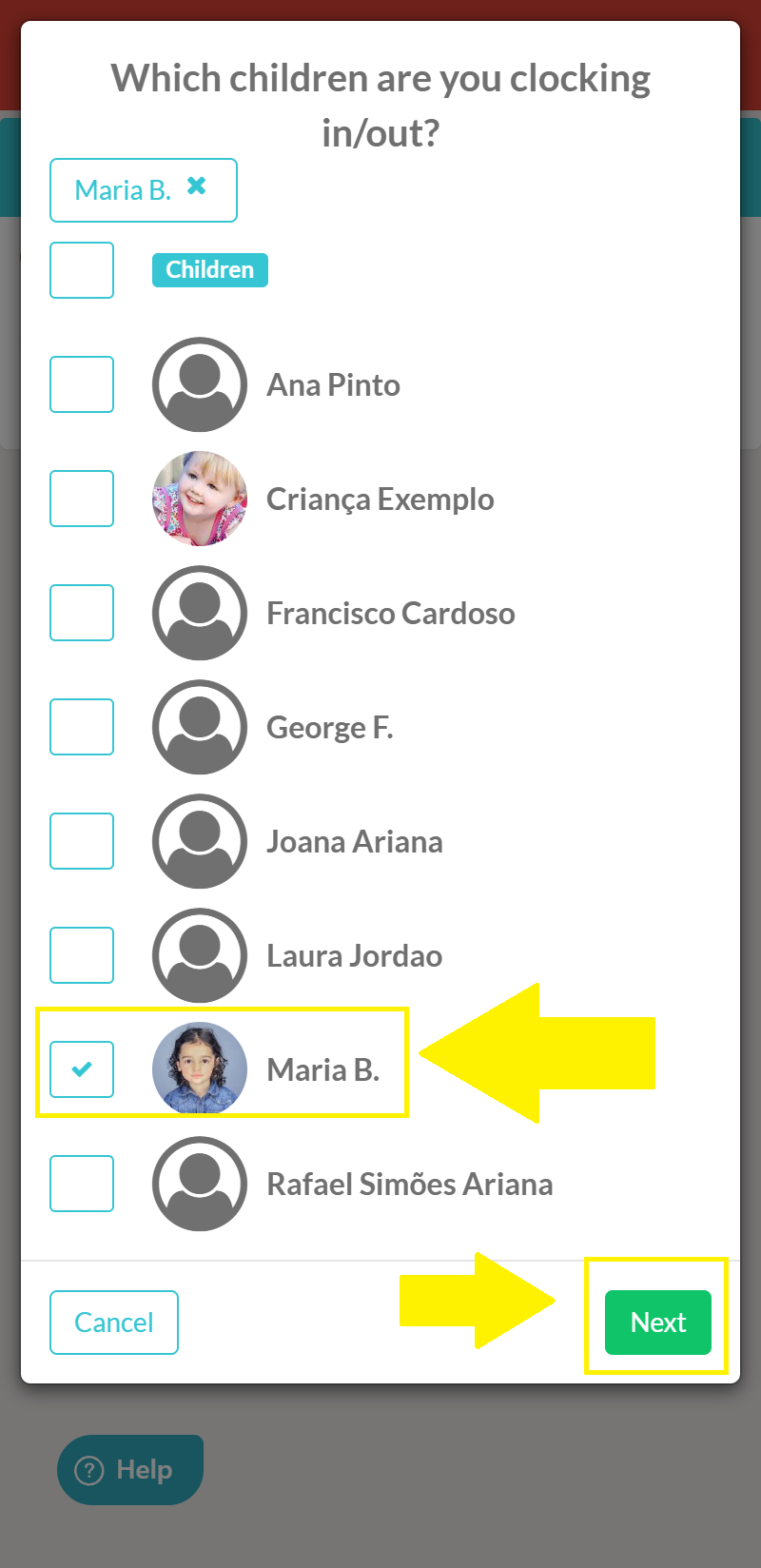
Step 3 - Select the child or children you want to register attendance
Step 4 - Select the Next option
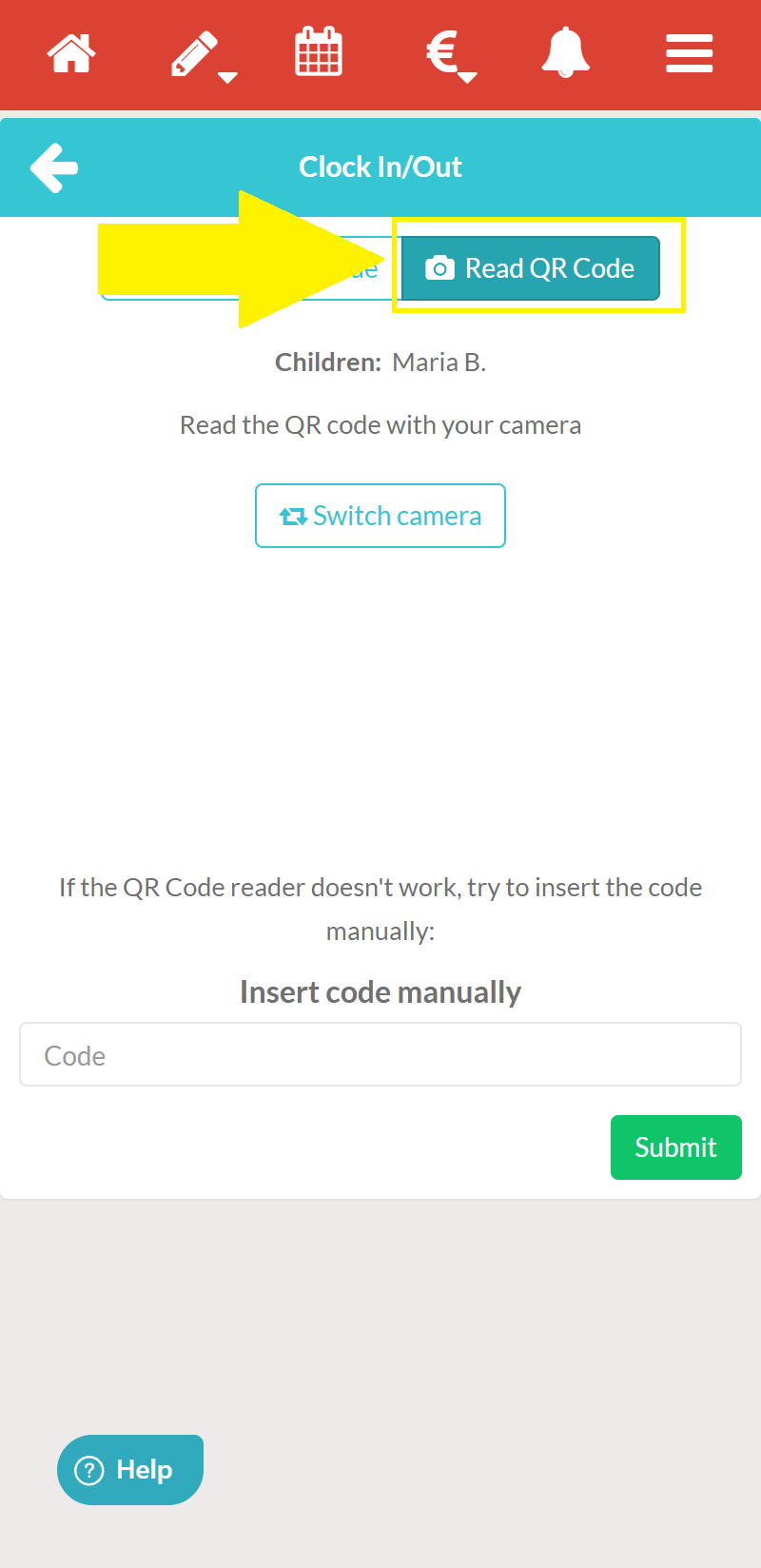
Step 5 - Select the ‘READ QR code’ option so that the app can access your device’s camera and scan the school’s QR code.