
Generating a unique QR code for your school is a simple and very useful task. The unique QR code can be printed by the school and displayed in prominent locations so that parents and carers can check their children in and out.
In this article, we’ll explain step by step how you can create a unique QR code for your school.
Step 1 - Log in to your ChildDiary account using your Administrator profile.
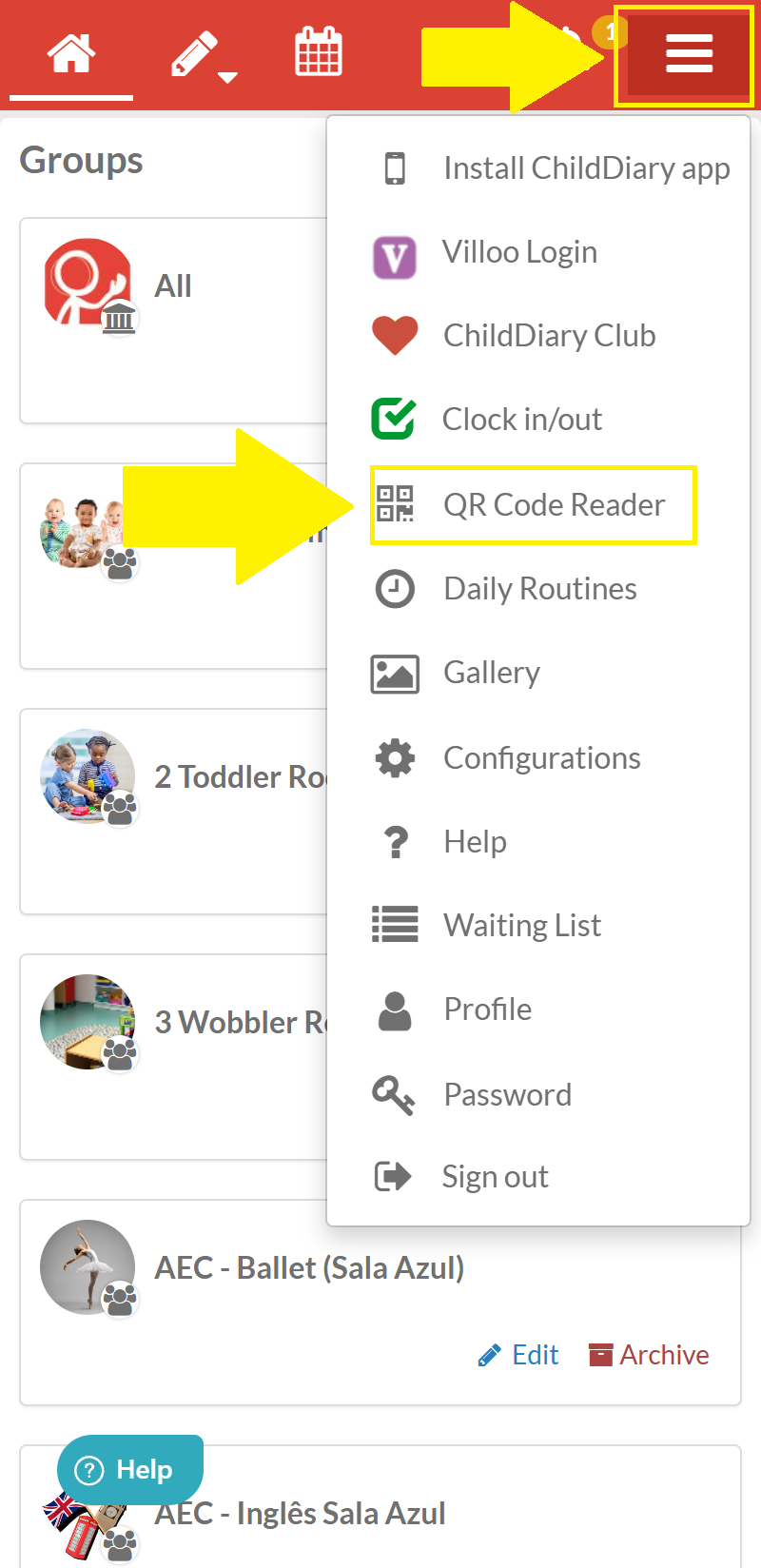
Step 2 - Select the icon with the three white bars located on the red bar at the top of the app
Step 3 - Tap the ‘QR Code Reader" option
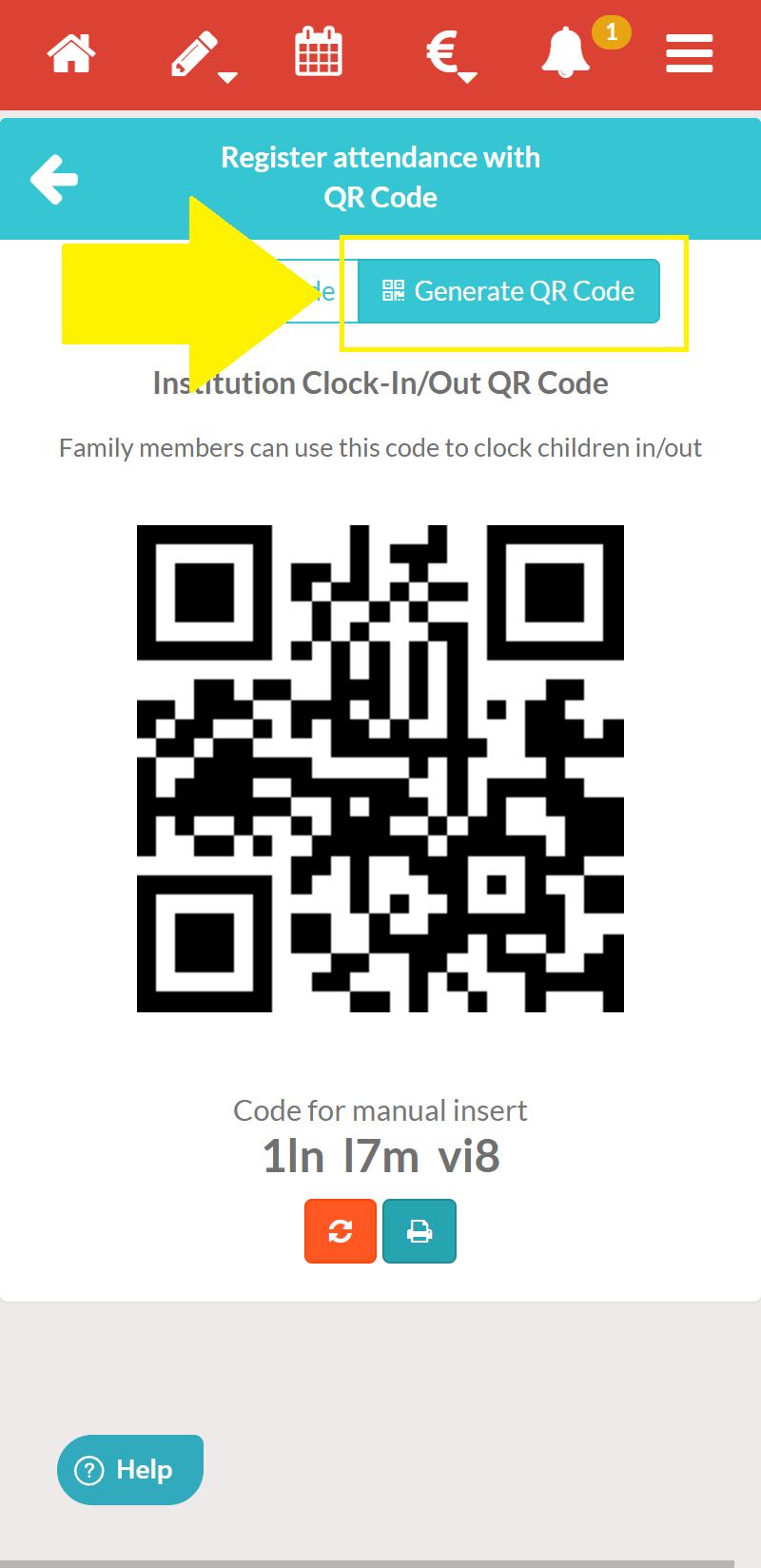
Step 4 - In the menu that appears, select the option labelled ‘Generate QR code’
Step 5 – (Optional) To print the QR code that appears, select the print icon
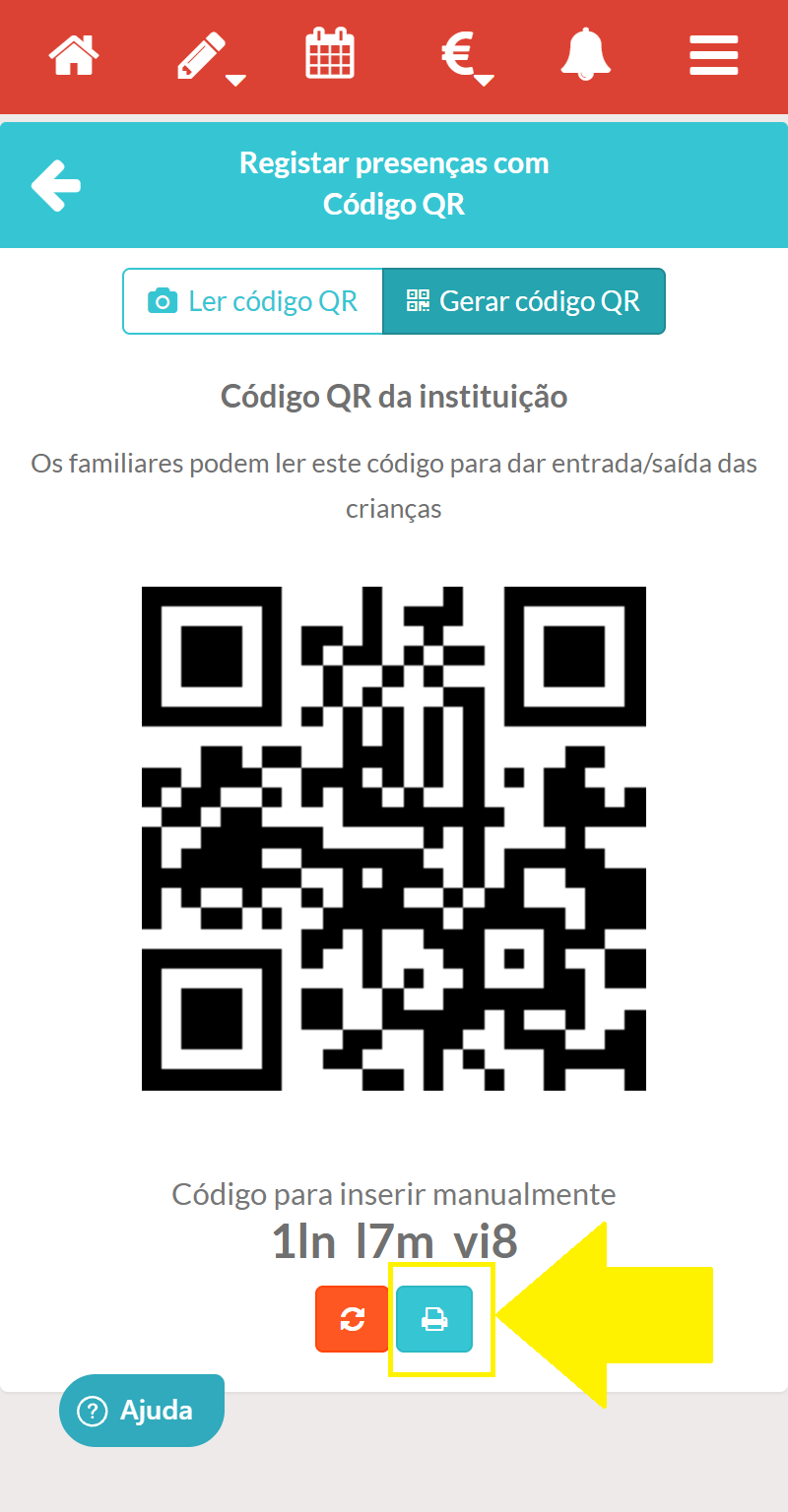
Your print options will appear.
Find out here how parents can access the QR code reader via their Parent/Guardian account.