
Scheduling content is an excellent way to ensure your content is published at the right time, even when you’re not available to post it manually.
In ChildDiary, you can schedule the sharing of messages, entries and assessments.
Here is a step-by-step guide to help you schedule your posts effectively.
Step 1 – In your ChildDiary account, create the content you need.
Step 2 – Look for the content date field.
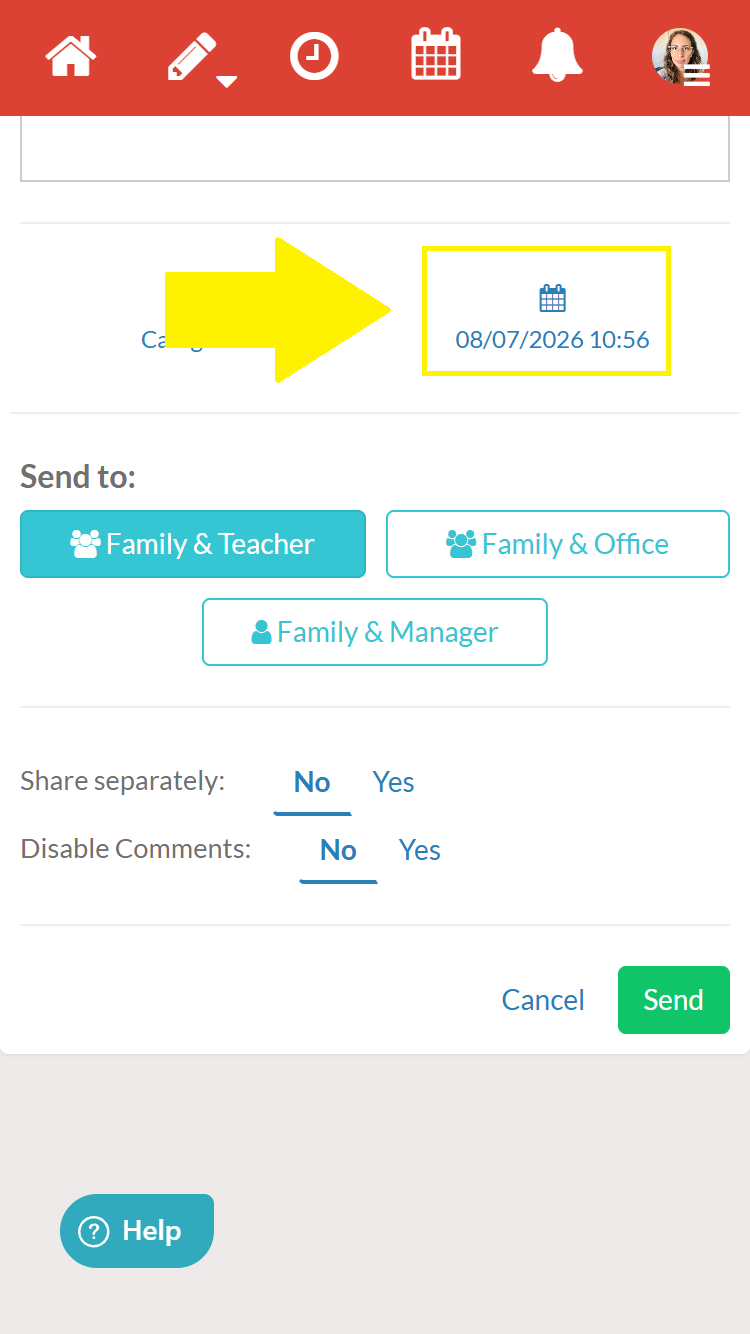
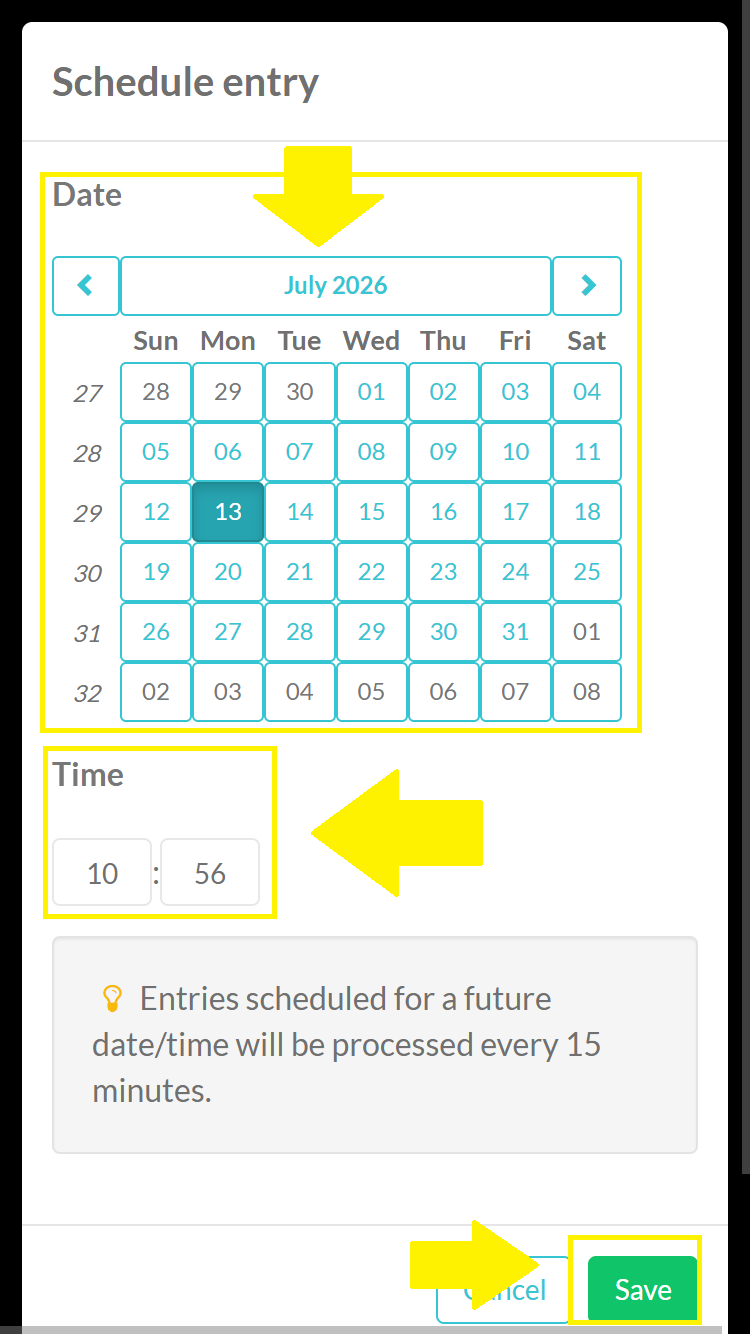
Step 3 – Clicking there will open a drop-down menu where you can set the date and time of dispatch. Then save!
NOTE: Entries scheduled for a future date and time will be processed every 15 minutes.
Notice how the content appears with the date and time set.
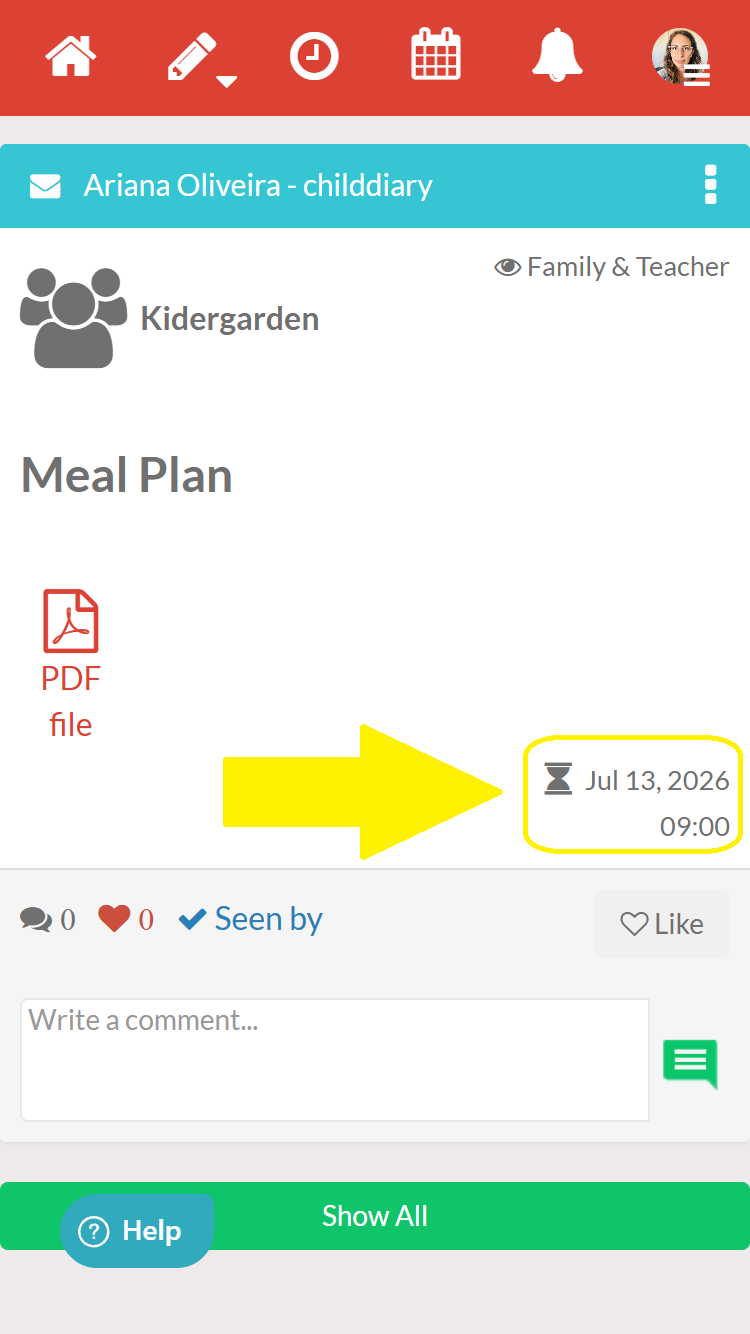
Your content will now be sent on the specified date and time!