
Table of Contente
- How can I generate and export an Attendance Report for professionals?
- Can each professional extract their own report?
Generating reports on staff attendance records is essential for the effective management of any organisation. These reports enable you to:
1. Monitor punctuality and attendance
2. Evaluate performance
3. Comply with legal requirements
4. Plan resources
Below, see how you can generate these reports.
How can I generate and export an Attendance Report for professionals?
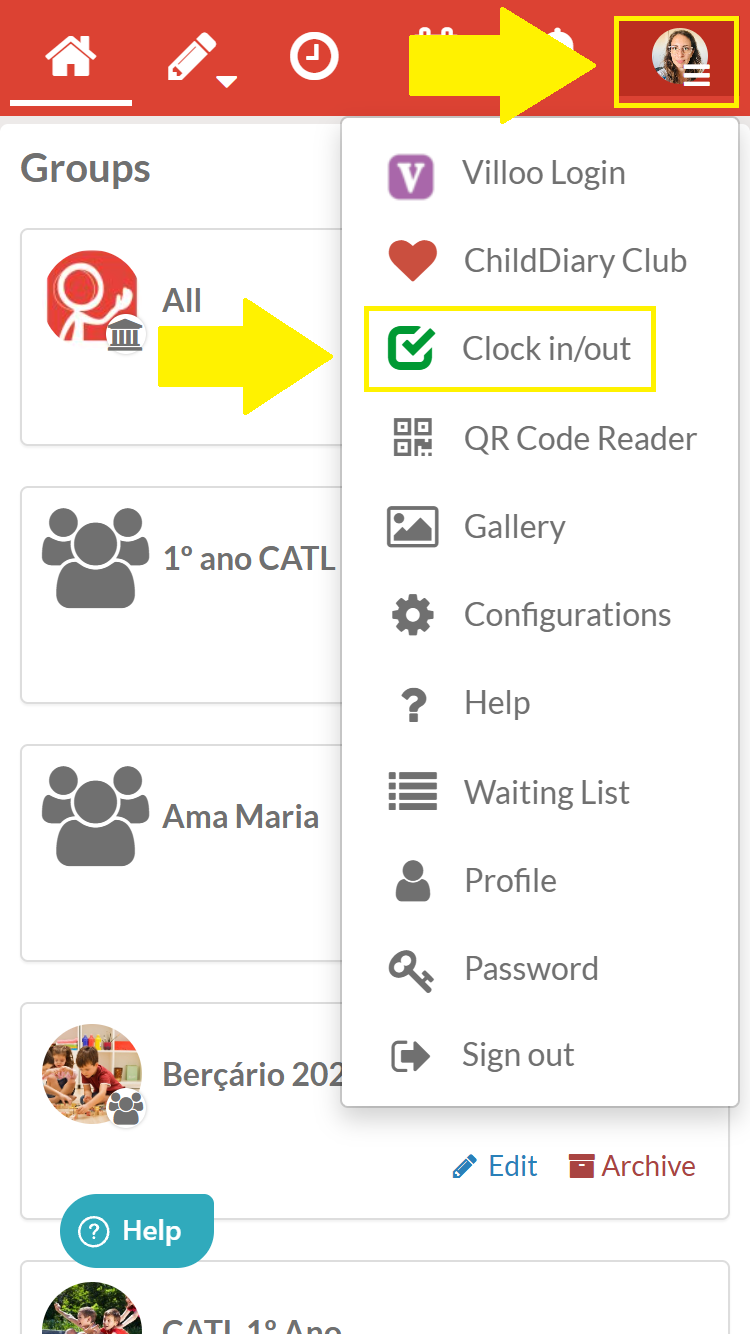
Step 1 - In your Management account, click on the icon with three white bars
Step 2 - Select the ‘Time Clock’ option
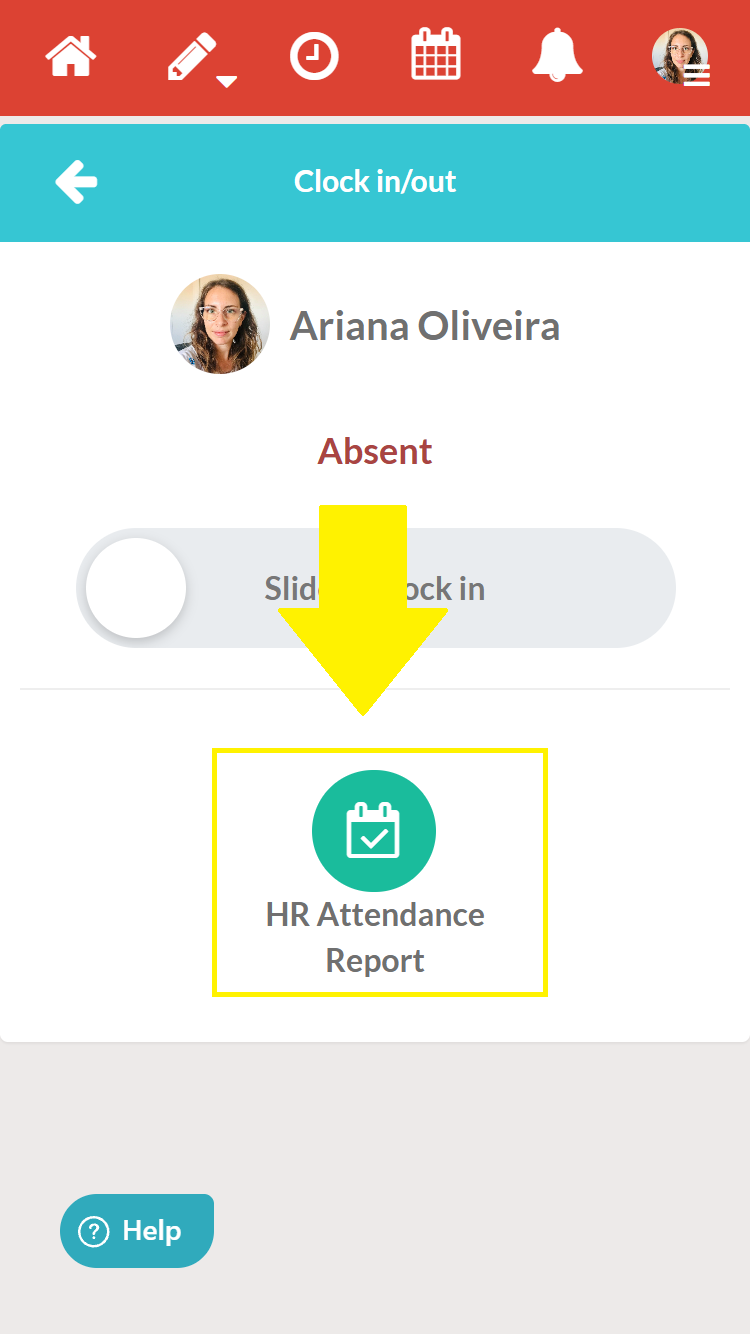
Step 3 - Then click on the ‘Attendance Report’ option.
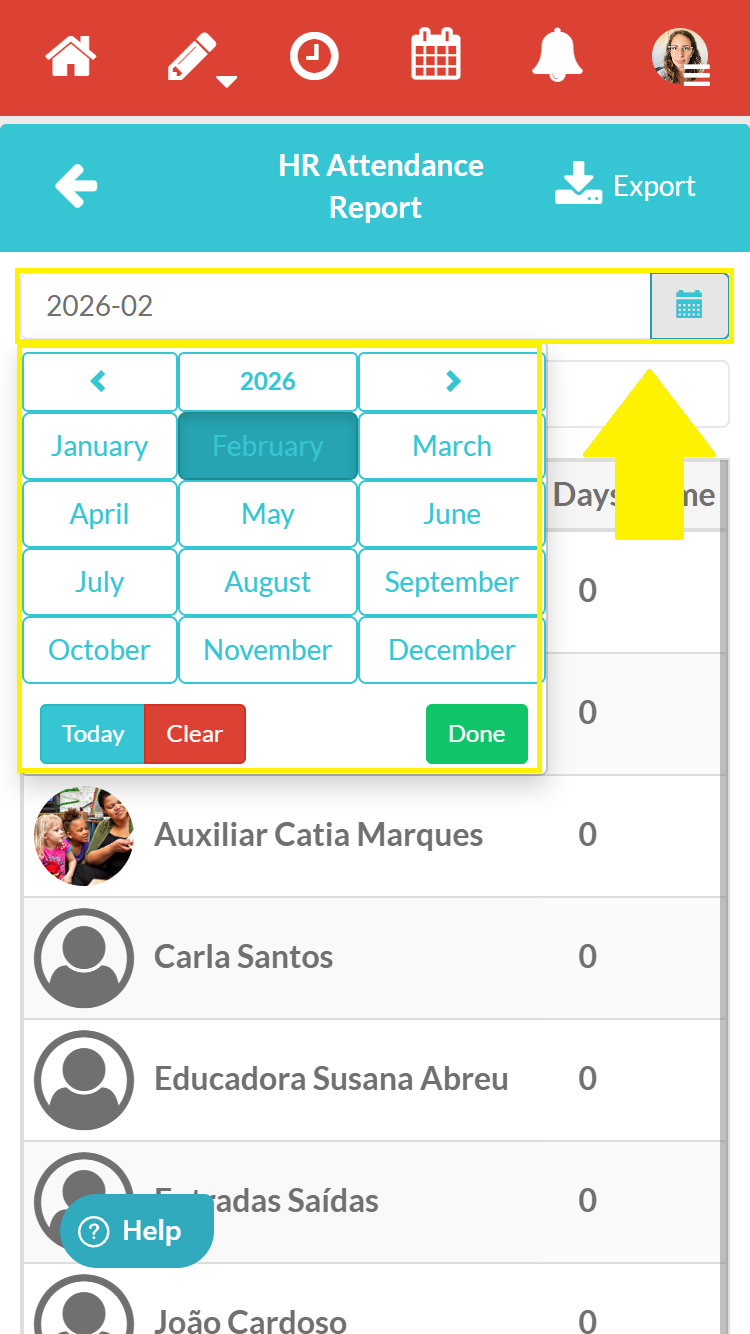
Step 4 - Select the month for which you want the report
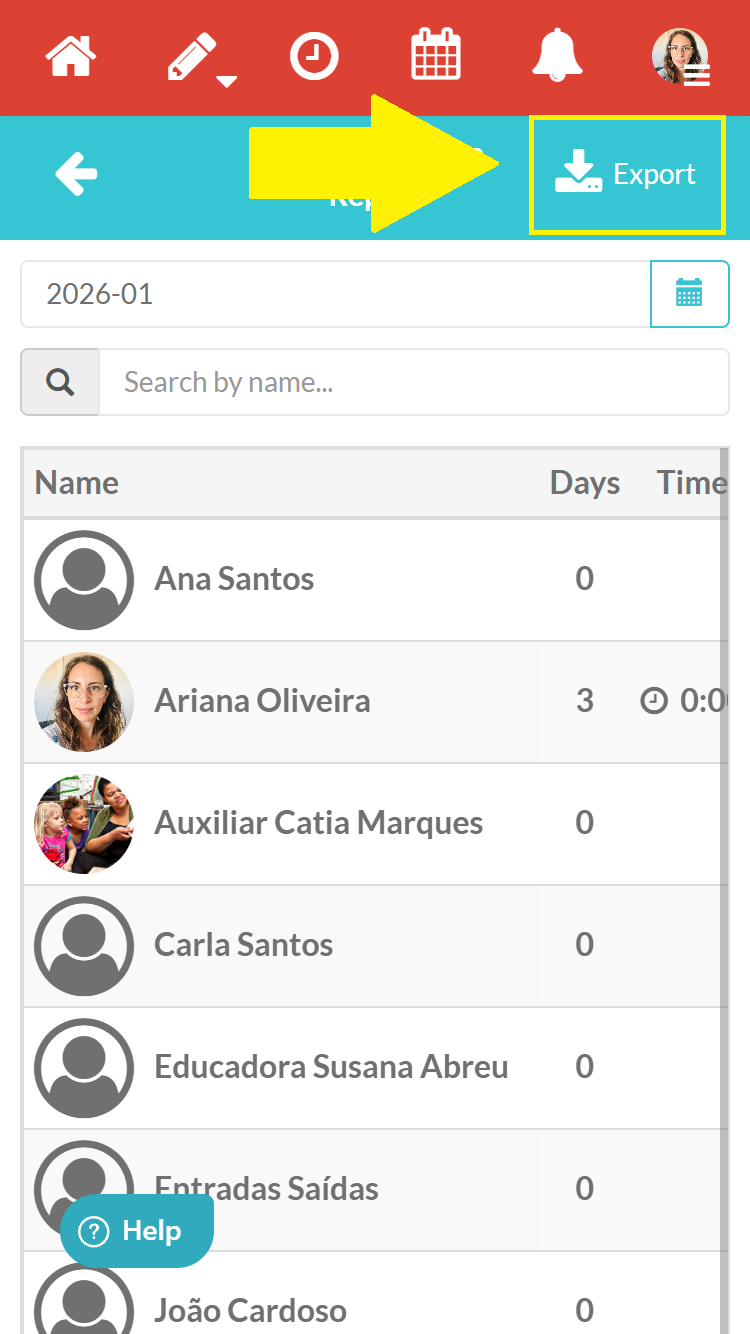
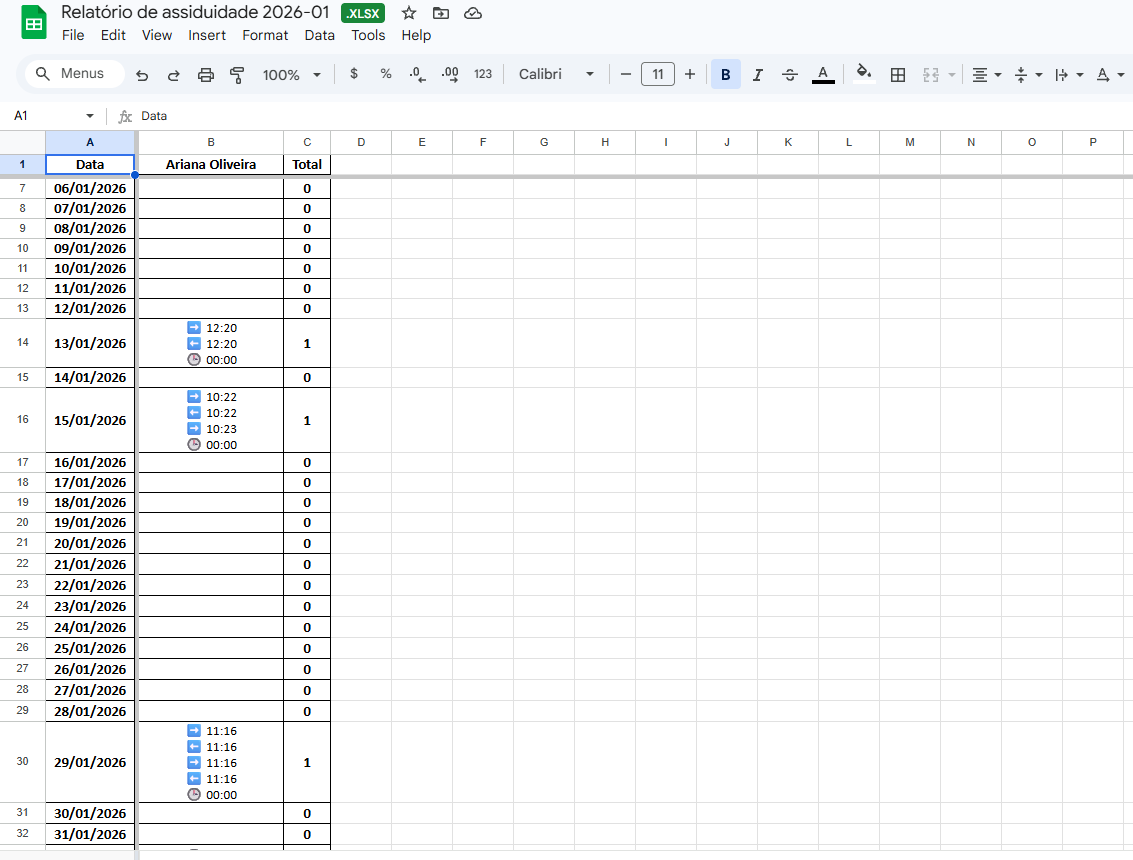
Step 4 - Finally, click on the ‘Export’ option in the blue bar and open your Excel document.
Can each professional extract their own report?
Yes, professionals on ChildDiary can extract their own attendance report. To do so, simply follow the steps described above.
Only the Management profile can export the report for all professionals on the ChildDiary account.