
Adding your school's logo is an excellent way to personalise your platform and reinforce the institution's visual identity.
How can I add the logo?
Follow the steps below to ensure that the logo is added correctly:
Step 1 - With your Management profile, log in to your ChildDiary account
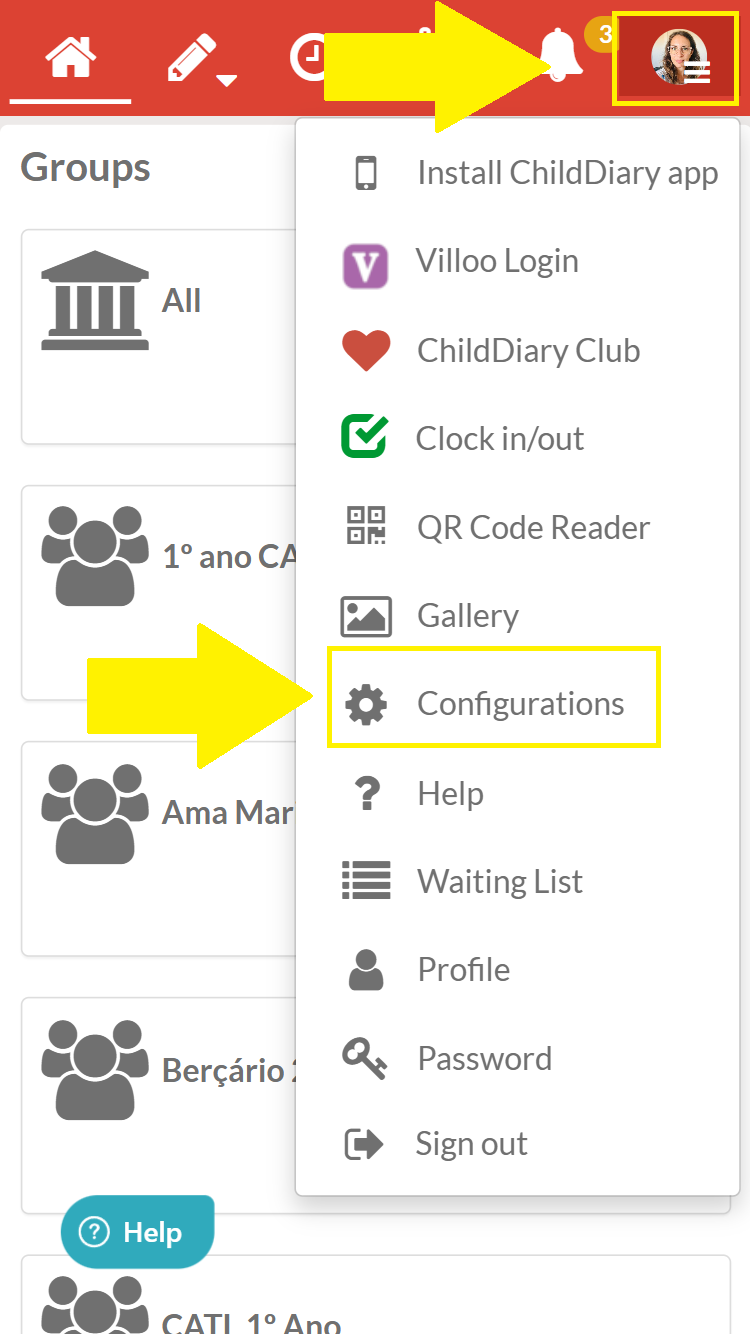
Step 2 - Navigate to the settings
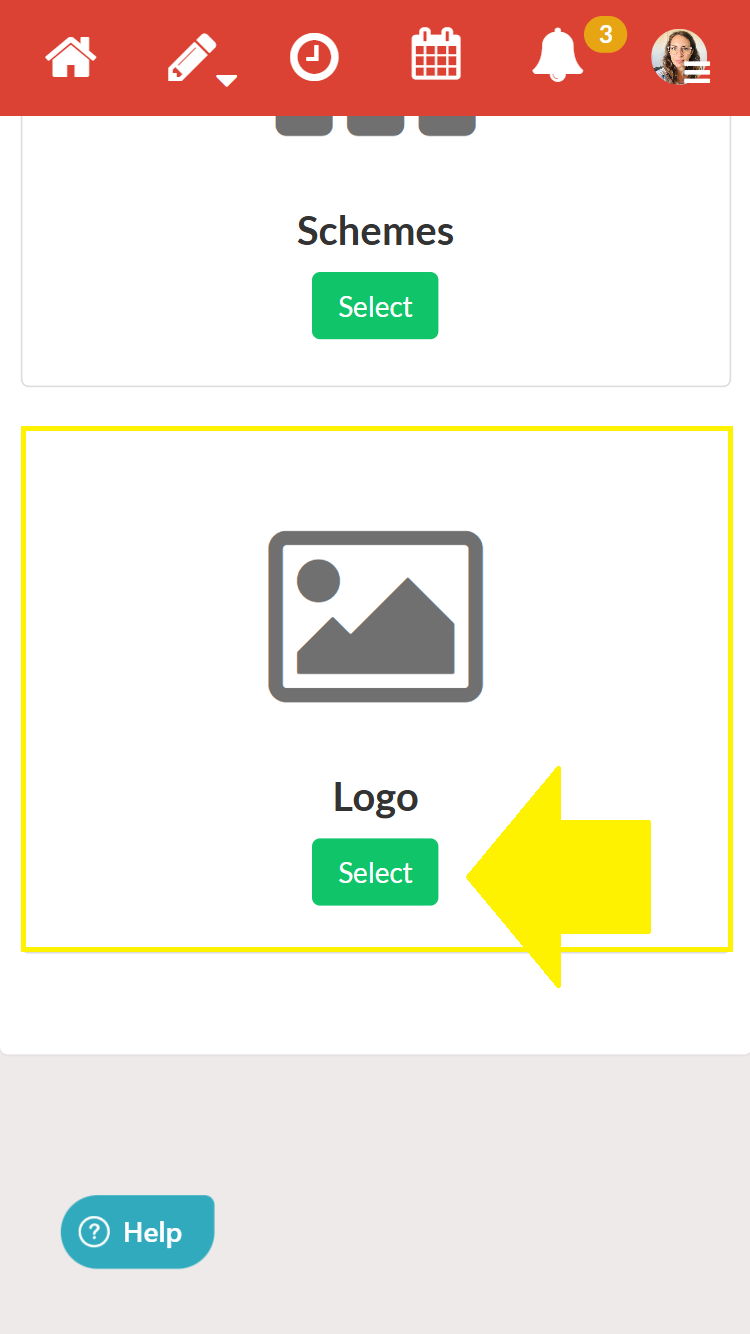
Step 3 - Select the logo option
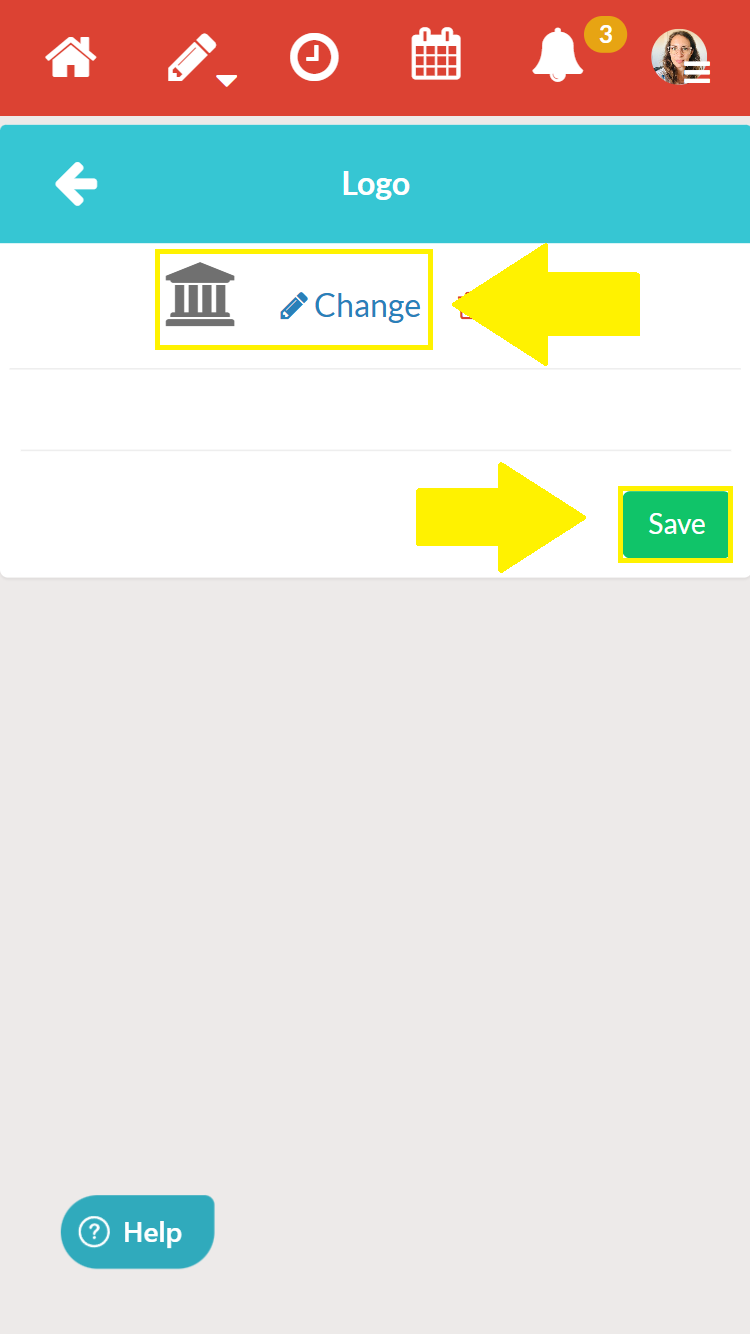
Step 4 - Upload your logo
Step 5 - Save
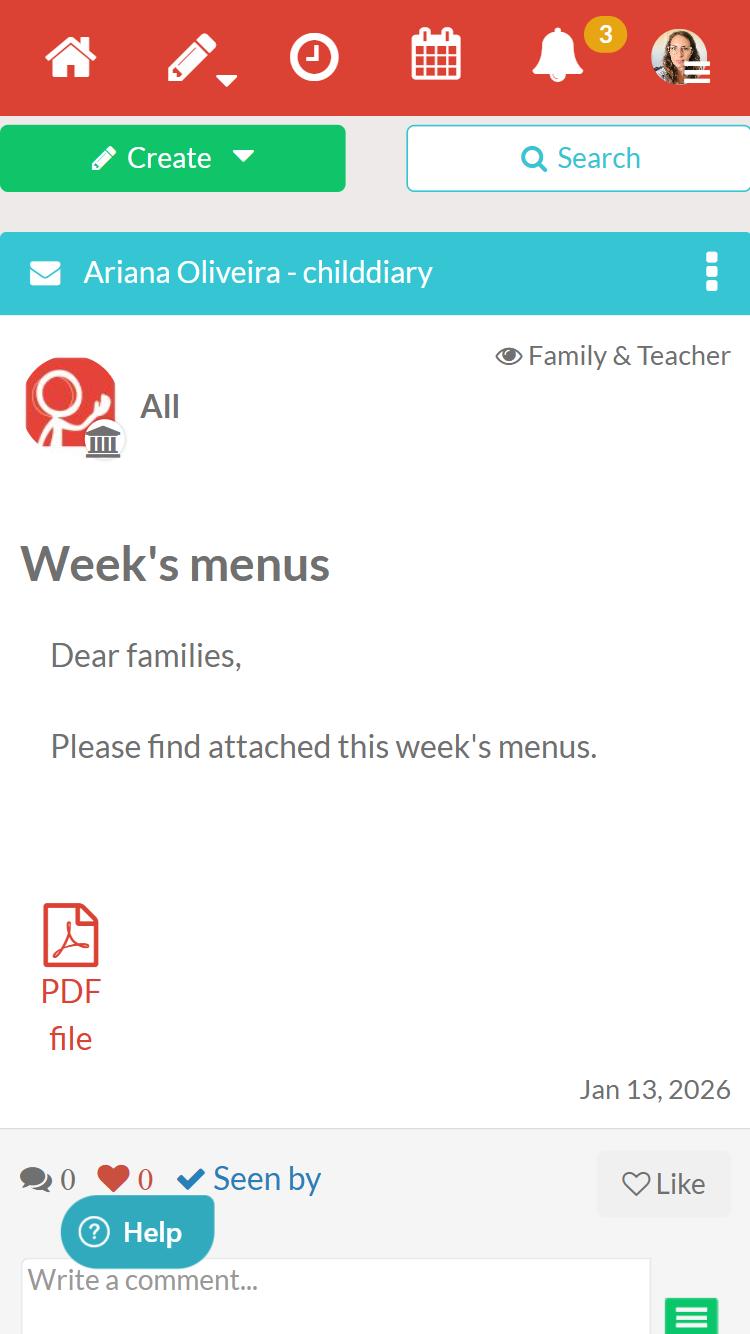
Where can I see my defined logo?
You can check that when you create content for General, the logo you added previously is displayed.
Note: This feature is not yet finalised. It will be completed after our update, allowing your school logo to be visible when printing any content you have created in ChildDiary.